
How to Remove Flyaway Hair Using the Refine Edge Tool in Photoshop CS5
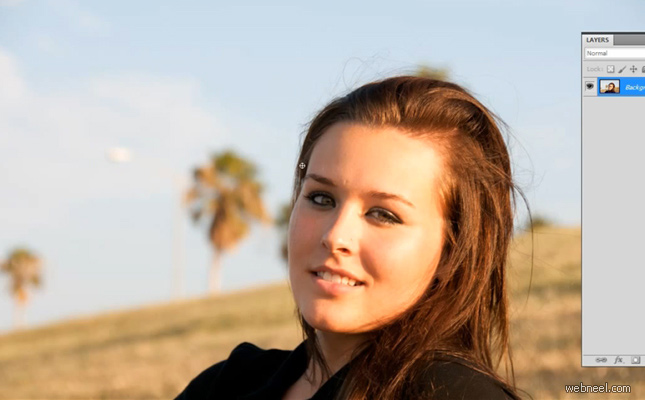
https://www.youtube.com/watch?v=abvtla3wwgA

Our Editor’s Experience
Transformation is central to photography, with framing, light, and timing shaping the result. The visual thread keeps flowing without losing direction.
— Neelakandan · Designer · Editor
SHARING IS CARING
Related Blog Posts


Related : Photoshop Fail | Photoshopped | Funny Photoshop | Free Photoshop Brushes
➤Outstanding Advertising Photoshop Manipulation works for Sky Sport by B612studio➤15 Creative Photoshop Photo manipulation works by Vanessa Rivera➤New Features and Improvements of Adobe Photoshop 2021 version➤15 Creative and Funny Photoshop Manipulations by Justin Peters➤50 Creative Photo Manipulation Works from Top Photoshop Designers - II
Categories:
Photoshop Tutorials