Adobe Photoshop Can Spot Fake Photo Manipulations Using AI

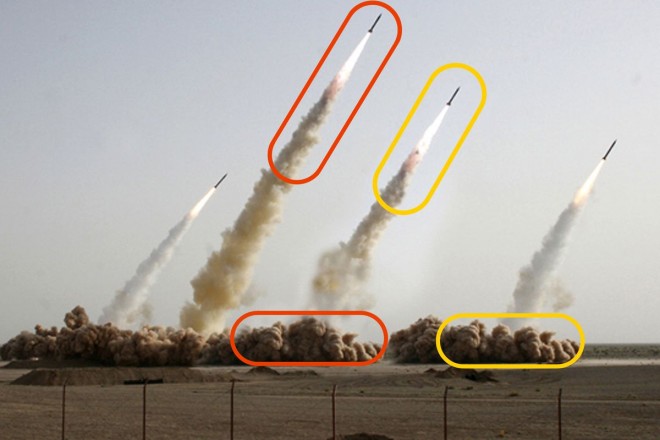
Adobe Photoshop: After 14 years of research, Vlad Morariu has finally succeeded in creating artificial intelligence that can detect fake manipulations invisible to the human eye. The artificial intelligence can identify additions or changes made to photos through cutting or splicing. The AI has been taught to recognize changes in color and inconsistencies in noise.
Photomanipulation adobe photoshop ai
The initial study was started 14 yrs ago with ten thousand pictures and mainly focused on three techniques: Splicing, Copy/Move and Removal of an object. According to Vlad Morariu,"Each of these techniques tend to leave certain artefacts, such as strong contrast edges, deliberately smoothed areas, or different noise patterns". There are several stories on the internet, which claim that many pictures where photoshopped and that they were not original. Now all this drama will be put to rest by using the Adobe's AI.
To identify the authenticity of the pictures, RGB stream filter and noise stream filter is used. Did you know that camera's have different noise signs and any inconsistencies in the noise stream filter can be easily identified, thus proving the authenticity of the pictures. Any tamperings to the pictures can be identified at pixel level by the AI which cannot be detected by normal human eyesight. Well not all methods can be foolproof since we can't always depend on machines, but this this definetely a good upgrade for Adobe Photoshop which has been in the image editing service for more than 28 years.
Photomanipulation adobe photoshop ai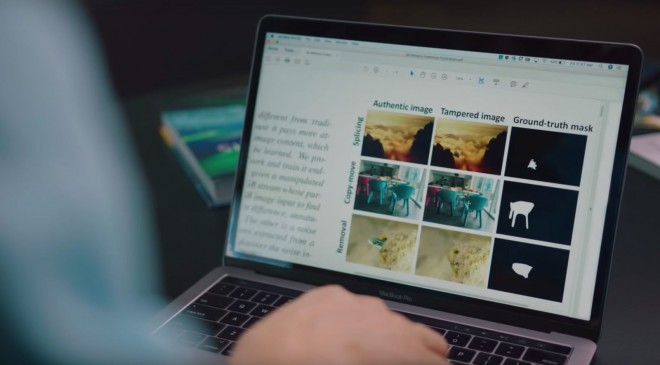
For more info, visit bbc